

①It should be able to ensure the accuracy and accuracy of the workpiece being processed.
In the workshop, the new operator stared blankly at the CNC milling center panel for a whole morning. He could not recognize any of the more than thirty buttons, and his old master beside him was anxious to take pictures of the operating table.
How to identify the four major partitions of the panel
Let’s take the FANUC 0i-MF system currently used in a precision processing plant in Guangzhou in 2025 as an example. In the upper left corner of the machine tool panel, the DRO coordinate data of the X, Y, and Z axes are displayed.
In the upper right corner of the panel, it is used to display the tool number currently being used and the segment number in the program. As for the entire row below the panel, the knobs for feed magnification and the percentage setting components for the spindle speed are installed.
The panel layout of the milling center of the Siemens 840D system is completely different. The function keys are arranged vertically on the right side. Therefore, the operator must first press the soft key to select the menu before confirming. The logic of the two systems is quite different. Masters who change models need at least three days to adapt.
Don’t mix emergency stop and feed hold
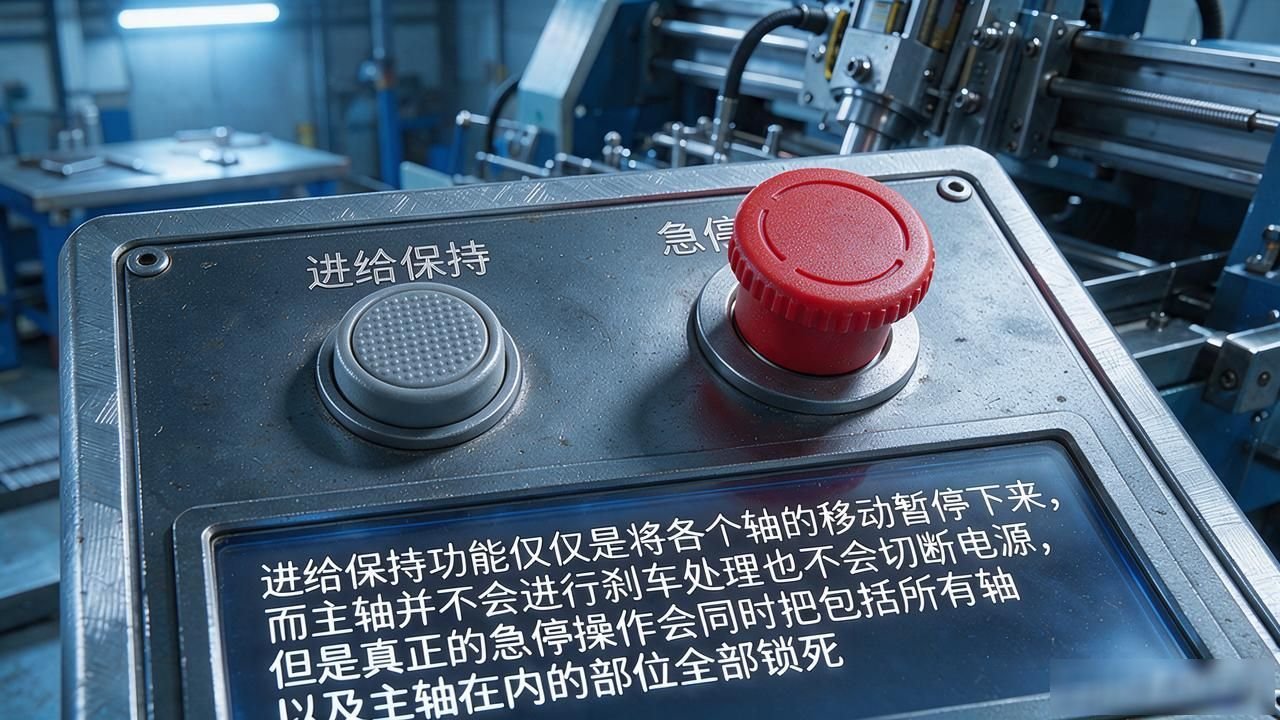
There is a mold manufacturer in Humen, Dongguan. An accident happened last year. A new employee confused the function of the feed hold button and pressed it as an emergency stop switch. As a result, the spindle of the machine tool did not stop at all, and the tool was still cutting. As a result, the workpiece was directly damaged. You must know that the emergency stop button is usually at the top of the control panel. It is a big red button that looks like a mushroom head. That location is the most conspicuous.

The feed hold function only pauses the movement of each axis, and the spindle will not brake or cut off the power supply. However, a real emergency stop operation will lock all parts including all axes and the spindle at the same time. Among the CNC milling accidents reported by the Ministry of Industry and Information Technology in 2024, more than 20% were caused by accidentally touching the panel buttons.
How to adjust the feed rate knob
The feed magnification knob on the panel is set to the 10% position by default when leaving the factory. Novice friends suggest that you first turn the knob to 25%, and then perform the knife setting operation and start the first trial cutting.
According to the internal regulations of a factory in Shenzhen, the magnification value of 10% must be used for the first tool pass. After confirming that there is no risk of collision, the value can be gradually increased until the normal processing value is used.
The magnification knob that you usually see has 0, 25, 50, 75, 100, 120, and 150, which is divided into seven levels in total. If your operation exceeds the 100% level, it is generally only recommended to use it in fine milling or polishing processes.
If you increase the gear and turn on the high magnification during rough machining, it is very likely to trigger the equipment overload. At this time, the control panel will flash E-01 or display an alarm code such as E-02.
How to use program editing and MDI areas
In the middle of the machine's panel, there is an area called MDI manual data input. The operator can directly modify the G code here. For example, when the machine tool is performing linear interpolation action, which is commonly known as the G01 program, the operator can temporarily change the feed speed F500 on site and directly update it to F300. After this modification is completed, he only needs to press the corresponding confirmation button on the INPUT keyboard. There is no need to go back to the office and turn on the computer to adjust the program file.
By 2025, most large-scale manufacturers have begun to use cloud program management systems, but the MDI area is still reserved as an emergency channel. In Jiangsu, a factory encountered a server disconnection during the night shift. This disconnection lasted for two hours. The operators relied entirely on manually entering the three-tool program in the MDI area, and did not stop the production line.
Coolant and automatic tool change button
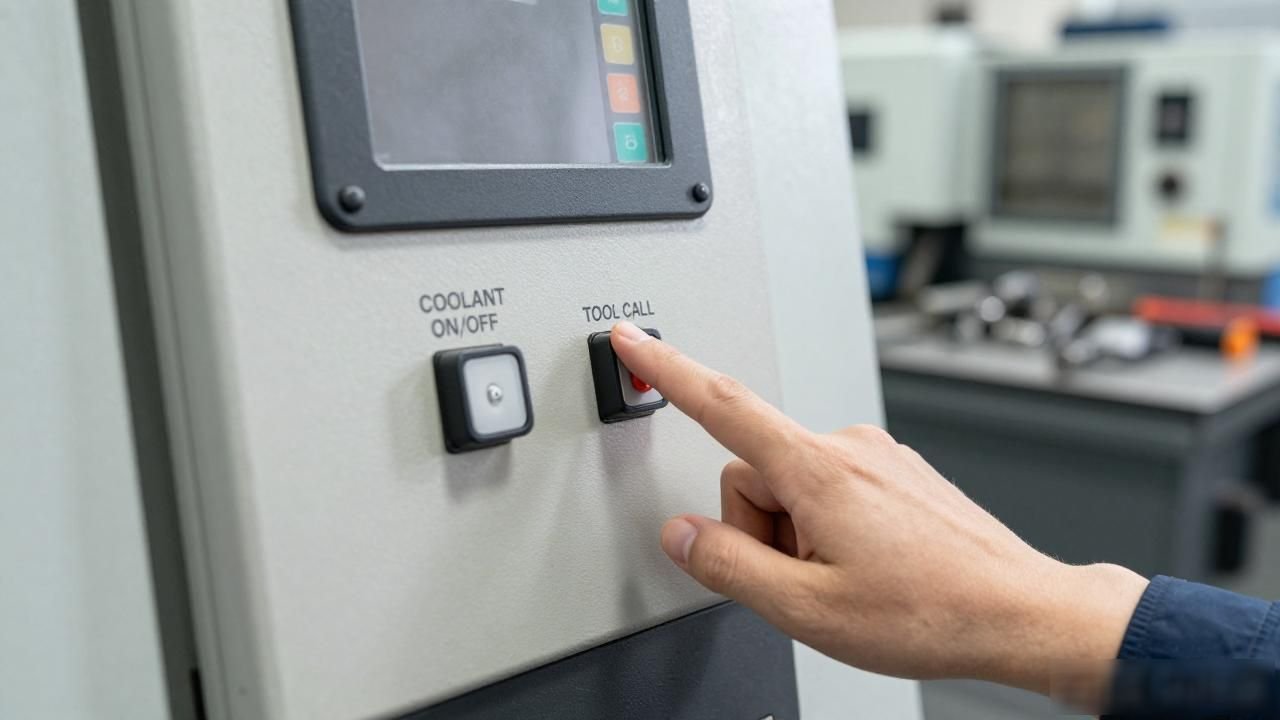
When the operator presses the COOLANT ON/OFF key on the panel, the cutting fluid pump will be controlled to turn on or off, and when the TOOL CALL key is pressed, the tool magazine will be triggered to perform automatic tool change.
A factory in Suzhou uses a BT40 eight-station tool magazine, and the process of completing a single tool change takes 8 seconds. If the operator presses the operation sequence incorrectly, it will cause the tool arm to idle, which will cause the hydraulic cylinder to wear.
Next to the cooling button, there is usually a small gauge indicating the air pressure. When the value is lower than 0.4MPa, the tool change action will generate an E-13 fault error message. In the lower right corner of the operation panel, there is a small screen that displays the current air pressure value in real time. According to the industry standard requirements in 2025, an inspection operation must be carried out before starting each shift.
Quick troubleshooting of alarm codes
When red text appears in the alarm bar on the panel, you must first check the prefix of the code. Within the scope of the FANUC system, code A0790 represents servo overload, while code B0691 represents an abnormality in the encoder signal. The indicator lights corresponding to different axes will flash on the panel. At this time, press the corresponding soft key to enter the diagnostic interface.
According to data released in 2024, the current number of domestic CNC milling equipment has exceeded the 1.2 million unit mark. In this industrial context, the alarm response speed on the panel can directly determine the actual yield rate of the production line and the rhythm of the entire production. We suggest that the relevant parties can take a very practical measure, that is, print out the contents of the twenty alarm codes that are frequently used in the workshop, and then neatly paste them somewhere on the side of the console. Because the benefits of doing so are very obvious, employees can find this code information ten times faster in actual operations than flipping through thick manuals.
On the operation panel of your workshop, which button is most likely to make a novice master who has just joined the job feel very confused and overwhelmed? Everyone is welcome to come to the comment area to share the specific stories of your personal experience. At the same time, please click on the like and forward link functions to send this content to your colleagues who have just entered the industry.






暂无评论内容