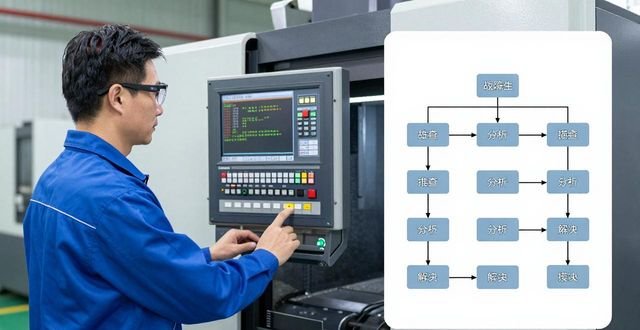
Don’t ask for help when it comes to CNC machining center problems. Don’t ask for help when it comes to CNC machining center problems. A CNC master with ten years of experience will give you some advice on self-diagnosis! , a CNC master with ten years of experience gives some tips on self-diagnosis!
The first step of power-on self-diagnosis system startup
After the CNC system is powered on, the internal diagnostic program will run on its own, just like a computer that performs self-tests when it is turned on. This self-diagnosis process will check the CPU, the memory, the I/O unit, the MDI /CRT unit, the paper tape reader, and key hardware such as the floppy drive to confirm whether the equipment installation, connection status and performance are normal. Some systems can also conduct in-depth inspection of RAM, ROM, and important chips such as dedicated LSI.
Only after all items are confirmed to be error-free during power-on self-diagnosis, can the system enter normal operation. The diagnostic time of different CNC systems varies greatly. The faster ones only take a few seconds, while the slower ones may take up to several minutes. The operator should wait patiently for the self-test to be completed, rather than rushing to the next step.
Online monitoring and full-time protection
There are two forms of online monitoring, namely CNC internal program monitoring and external equipment monitoring. Internal program monitoring uses the system's own program to carry out automatic diagnostic checks on the CNC itself, as well as servo units, servo motors, spindle servo units, spindle motors, external equipment, etc. connected to the CNC, and this monitoring is always effective during the system's working process.
CNC internal program monitoring mainly covers three aspects: interface signal display, internal status display and fault display, which can allow maintenance personnel to know the equipment operation status in real time and detect potential problems in time. When it comes to external equipment monitoring, diagnostic inspections are carried out on each component of the machine tool with the help of computers, PLC programmers and other devices.

Interface signal display key to fault tracing
The interface signal display can present the current status of all interface signals between CNC and PLC, and between CNC and 机械 tools, and reveal the on-off status of digital input and output signals. During maintenance, it is necessary to clearly understand the meaning of each signal and the conditions required for the generation and cancellation of the signal before effective inspection can be carried out.
The function instructions and connection instructions given by the CNC system manufacturer, as well as the machine tool electrical schematic diagram given by the machining center manufacturer, are all technical guides for checking interface signals. Maintenance personnel should be familiar with this information if they want to be able to quickly locate the problem when it occurs.
Internal status display digs deeper into the root cause of the problem
With the internal status display function, external reasons causing loop instructions not to be executed can be detected. For example, whether the system is in the in-position check, whether it is in the machine tool lock state, whether it is waiting for the speed arrival signal connection, whether it is waiting for the position encoder measurement signal, whether it is waiting for the spindle 1-turn signal, and so on.
When programming the feed for each rotation of the spindle, or when performing thread cutting, the display of the internal status is particularly critical. There are situations where the system is waiting for the spindle encoder measurement signal, whether the feed speed override is set to zero, and other details may affect the normal operation of the equipment. Maintenance personnel can quickly find the cause of the fault by checking this status.
Fault information displays the secret of the alarm number
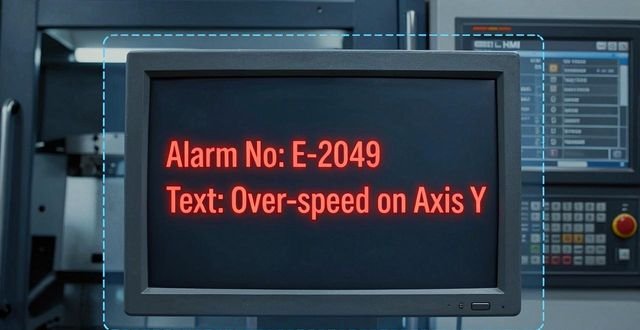
In CNC systems, fault information is often displayed on the CRT in the form of alarm display. The contents presented by the alarm display vary due to differences between CNC systems. Most of them appear in the form of alarm number plus text. The specific content and troubleshooting methods can be found in the maintenance instructions provided by the CNC system manufacturer.
When an alarm is encountered by maintenance personnel, don’t panic. Write down the alarm number and text first. Then refer to the maintenance manual and follow the instructions step by step. There are some alarms that need to be analyzed together with the interface signal display and the internal status display to find out the exact cause. Recording the solutions to commonly used alarm numbers can significantly improve maintenance efficiency.
Offline testing and offline diagnostics
Offline testing, also known as offline diagnosis, is a test and inspection carried out on the system itself after the CNC system is separated from the machine tool. Offline testing can further determine the location of the fault and reduce the scope of the fault to a minimum. This kind of test relies on special diagnostic software or special testing equipment, and generally can only be carried out at the manufacturer of the CNC system or the department responsible for maintenance.
If the fault is complex and difficult to locate, offline testing is the most effective method. Maintenance personnel should usually pay attention to collecting system operation logs and collect alarm records, which can provide reference data when offline testing is required. Although this kind of test is not often used, mastering its principles and methods is very important for improving maintenance levels.
Have you encountered any strange problems in CNC machining? Welcome to share your maintenance experience in the comment area, like it and forward it so that more people in the same industry can see this valuable and rare information!
发表回复
要发表评论,您必须先登录。